Commercial outcome
Compare the quote together with freight, duty, inspection, tooling, fees, MOQ and lead time.

Supplier Evaluation & Selection Kit
Compare up to five suppliers using qualification, landed cost, residual risk, weighted scoring, negotiation and approval in one connected supplier-selection kit.
For procurement specialists, sourcing teams, importers and independent consultants.
What it is
VENDECISION Supplier Evaluation & Selection Kit links the steps that are often managed in separate files. It replaces disconnected qualification sheets, quotation comparisons, risk registers and manually rebuilt approval summaries.
Key outcomes
Compare the quote together with freight, duty, inspection, tooling, fees, MOQ and lead time.
Keep mandatory failures and unresolved residual exposure inside the supplier comparison.
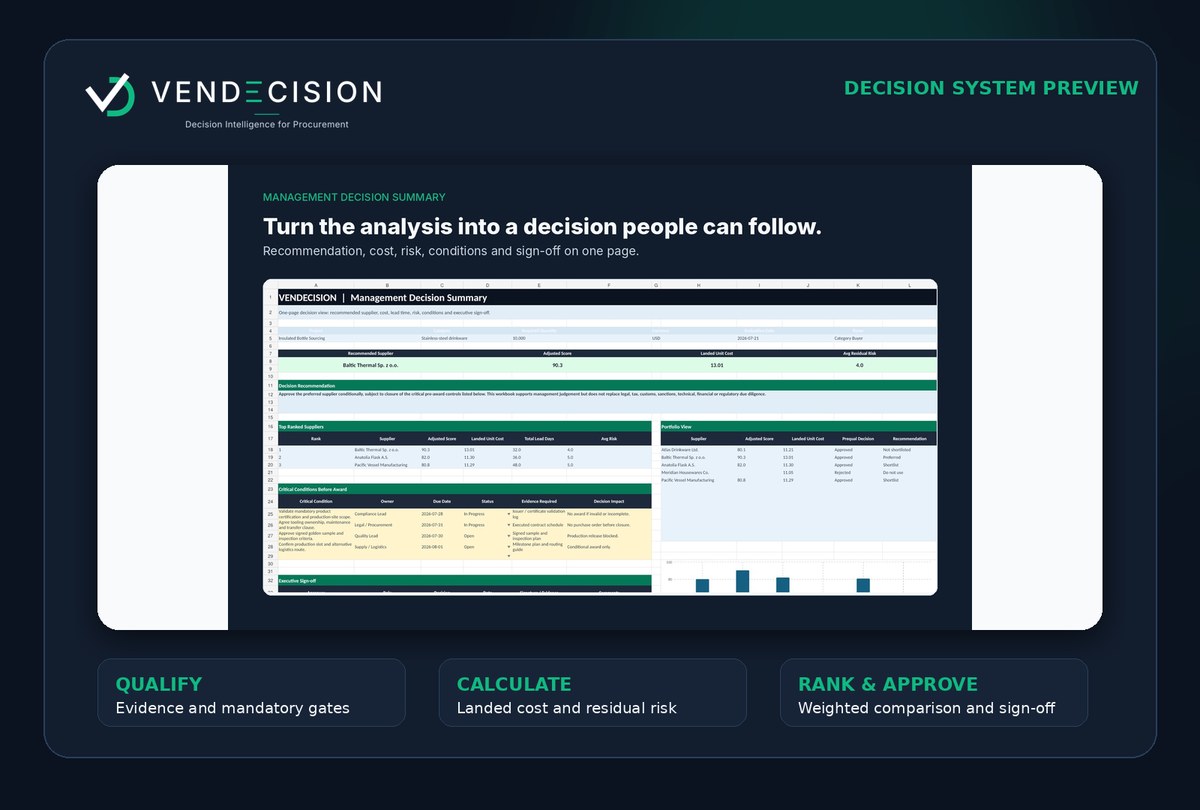
Present the preferred supplier, rationale, cost, score, risk, conditions, owners and sign-off fields.
What is included
The product contains two .xlsx files and three supporting documents. The 12 modules are connected workbook sheets, not 12 separate files.
VENDECISION_Supplier_Evaluation_and_Selection_Kit_Clean_v1.0.xlsx
Reusable working copy for a new supplier decision.
VENDECISION_Supplier_Evaluation_and_Selection_Kit_Completed_Fictional_Example_v1.0.xlsx
A fully populated fictional example showing the intended workflow.
VENDECISION_Quick_Start_Guide_v1.0.pdf
Setup order, field guidance and operating notes.
VENDECISION_Supplier_Email_Scripts_v1.0.pdf
Practical communication templates for RFQ, clarification and follow-up.
VENDECISION_Licence_and_Version_Notes_v1.0.pdf
The final checkout version will define rights, support and updates.
12 connected modules
| Module | Stage | Purpose | Required input | Generated output | Next connection | Configurable |
|---|---|---|---|---|---|---|
| Start Here | Configure | Orient the user and show project status and key outputs. | Project name, owner and evaluation context. | Guided starting point and decision overview. | Setup & Scoring | Yes |
| Setup & Scoring | Configure | Define evaluation criteria, weights, thresholds and risk penalty logic. | Criteria, weight percentages and decision thresholds. | Configured scoring model with weight validation. | RFQ Builder | Yes |
| RFQ Builder | Configure | Structure technical and commercial requirements before comparing offers. | Specifications, quantities, delivery terms and evidence requirements. | Consistent request-for-quotation structure. | Prequalification | Yes |
| Prequalification | Qualify | Check mandatory requirements and prevent failed suppliers from being recommended. | Supplier evidence and mandatory pass/fail criteria. | Approved, conditional or rejected qualification gate. | Landed Cost / TCO | Yes |
| Landed Cost / TCO | Calculate | Bring freight, insurance, duty, inspection, tooling and other cost drivers into one comparable view. | Quoted price, quantity, logistics, duties, fees and lead-time data. | Total landed cost and landed unit cost by supplier. | Supplier Risk Register | Yes |
| Supplier Risk Register | Calculate | Record inherent risk, controls and residual exposure across supplier risks. | Risk events, likelihood, impact, controls and owners. | Residual-risk profile and unresolved issues. | Weighted Supplier Comparison | Yes |
| Weighted Supplier Comparison | Rank and negotiate | Normalize supplier data, apply weights and preserve critical failures and residual-risk penalties. | Qualification, cost, performance criteria and residual risk. | Adjusted supplier score, rank and recommendation status. | Negotiation Planner | Yes |
| Negotiation Planner | Rank and negotiate | Track targets, concessions, owners, deadlines and unresolved award conditions. | Negotiation positions, supplier responses and conditions. | Traceable negotiation log and pre-award actions. | Management Decision Summary | Yes |
| Onboarding Checklist | Approve and govern | Control the transition from award to supplier activation. | Contract, master-data, sample, compliance and first-order requirements. | Onboarding status and responsible owners. | Performance Scorecard | Yes |
| Performance Scorecard | Approve and govern | Track cost, quality, delivery and service after supplier activation. | Performance data and corrective actions. | Supplier performance view and follow-up actions. | Management Decision Summary | Yes |
| Management Decision Summary | Approve and govern | Present the preferred supplier, rationale, cost, risk, conditions and approval fields. | Connected outputs from qualification, cost, risk, scoring and negotiation. | One management-ready recommendation and approval trail. | Reference Lists | Yes |
| Reference Lists | Configure | Maintain controlled lists used by dropdowns and classifications. | Approved categories and status values. | Consistent data-entry options across modules. | All connected modules | Yes |
On smaller screens, swipe horizontally to review all module columns.
Five decision stages
Set criteria, weights, thresholds and assumptions before supplier data influences the result.
Record mandatory evidence, critical failures and supplier readiness before commercial ranking.
Compare quoted price with landed cost, total lead time, MOQ and other commercial drivers.
Apply weighted scoring, keep residual risk inside the decision and track negotiated conditions.
Create a management-ready recommendation, document approval conditions and monitor the supplier after award.
Worked example
Every fictional example is clearly labelled. It is not a client case, testimonial or claim of achieved savings.
Use cases
Structure and defend sourcing recommendations.
View use case →Surface lead-time, MOQ and implementation consequences.
View use case →Use disciplined selection without enterprise software.
View use case →Use a professional client-facing framework within licence scope.
View use case →Product comparison
| Capability | Free single-sheet template | Generic marketplace scorecard | Manually assembled spreadsheet | Enterprise procurement platform | VENDECISION |
|---|---|---|---|---|---|
| Supplier qualification | Depends on template | Often basic | Manual | Usually included | Included |
| Landed-cost logic | Rare | Depends on product | Manual | Usually configurable | Included |
| Residual-risk treatment | Rare | Depends on product | Manual | Usually advanced | Included |
| Weighted scoring | Sometimes | Usually included | Manual | Usually included | Included |
| Critical-failure gate | Rare | Depends on product | Manual | Usually configurable | Included |
| Negotiation tracking | Not intended | Rare | Separate notes | Often available | Included |
| Management decision summary | Rare | Depends on product | Rebuilt manually | Usually available | Included |
| Editable .xlsx format | Usually | Usually | Yes | Not usually | Yes |
| Implementation project | No | No | No | Often required | No |
| Multi-user workflow and access control | No | No | Manual | Strong | Not intended |
| System integration | No | No | Manual | Strong | Not intended |
| Client-facing licence option | Depends | Depends | Owner-defined | Contract-dependent | Consultant licence planned |
Basis: visible product scope and category definitions. Enterprise platforms are stronger for integration, workflow, access control and scale; VENDECISION is intended for portable, structured decision work without an implementation project.
Objection handling
Pricing and licences
Checkout is not open. Prices are displayed as planned one-time licence amounts and must be confirmed at checkout before any sale.
Planned one-time licence
$19 USD
Planned one-time licence; checkout is not open.
Most practical for small teams
$49 USD
Planned one-time licence; checkout is not open.
Planned one-time licence
$99 USD
Planned one-time licence; checkout is not open.
Review the full pricing, tax, delivery and licensing information
Management-ready acceptance
The output is designed to contain the following decision elements. It does not mean that approval is guaranteed or that professional review is unnecessary.
Compatibility
| Application | Status | Release note |
|---|---|---|
| Microsoft Excel 365 for Windows | Not tested in this release | Manual release test required before public support claim. |
| Microsoft Excel 365 for macOS | Not tested in this release | Manual release test required before public support claim. |
| Current supported desktop versions of Microsoft Excel | Designed for use | Specific versions must be verified before sales. |
| Browser-based Excel | Not tested | Some formatting and interaction may differ. |
| LibreOffice | Not tested / not recommended | Formula, validation and formatting behaviour may differ. |
| Google Sheets | Not tested / not recommended | Conversion can change formulas, validation and layout. |
| Mobile spreadsheet applications | Not tested / not recommended | The workflow is designed for desktop use. |
FAQ
Next step
Download the fictional sample management summary and compare it with the approval output your process currently produces.