The lowest quote is not always the lowest outcome.
Freight, duty, MOQ, lead time, tooling, inspection and implementation consequences can overturn a unit-price conclusion.

Supplier Selection Decision System for Procurement
Compare qualification, landed cost, residual risk, weighted scoring, negotiation and approval in one management-ready decision system.
For procurement specialists, sourcing teams, importers and independent consultants.
12 connected modulesOne controlled workflow, not disconnected sheets
5 decision stagesConfigure, qualify, calculate, rank and negotiate, approve and govern
Up to 5 suppliersCompared with one configured logic
1 recommendation trailCost, score, residual risk and conditions remain visible
The control gap
Qualification sits in one file, quotations in another, risk in a separate register and the management summary is rebuilt at the end. VENDECISION replaces those disconnected handoffs with one supplier-selection decision system.
Freight, duty, MOQ, lead time, tooling, inspection and implementation consequences can overturn a unit-price conclusion.
A strong commercial score can hide unresolved exposure unless residual risk and mandatory failures stay connected to the recommendation.
Without a clear rationale, conditions, owners and approval fields, the decision is difficult to explain and revisit.
Product preview
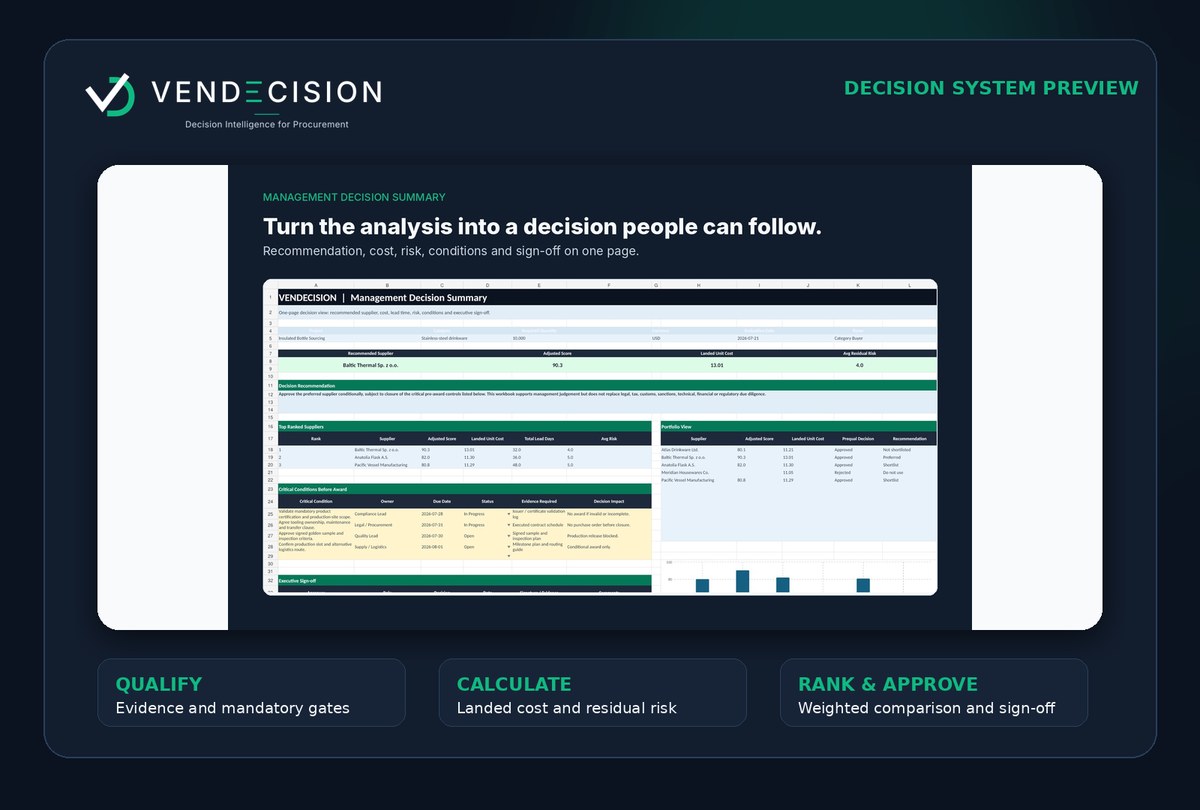
The system links supplier qualification, comparable cost, residual risk, weighted scoring, negotiation and management approval. Every major claim is tied to a visible output.
Business outcomes
Bring quoted price, landed-cost drivers, MOQ and lead time into one comparable view instead of treating unit price as total cost.
Preserve mandatory failures and residual exposure inside the decision rather than discussing risk in a separate file.
Give management a preferred supplier, rationale, conditions, owners, approval fields and version reference.
Who it is for
Structure sourcing recommendations and preserve an auditable decision rationale.
See the use case →Keep cost, lead time, MOQ and implementation exposure connected to supplier choice.
See the use case →Use disciplined supplier selection without an enterprise procurement platform.
See the use case →Build a repeatable, client-facing decision process under the appropriate licence.
See the use case →How it works
Set criteria, weights, thresholds and assumptions before supplier data influences the result.
Record mandatory evidence, critical failures and supplier readiness before commercial ranking.
Compare quoted price with landed cost, total lead time, MOQ and other commercial drivers.
Apply weighted scoring, keep residual risk inside the decision and track negotiated conditions.
Create a management-ready recommendation, document approval conditions and monitor the supplier after award.
Product walkthrough
The walkthrough shows how qualification, cost, risk, ranking, negotiation and approval connect without presenting the system as a replacement for supplier verification or professional judgement.
Free resource
The checklist helps you verify whether a supplier recommendation covers qualification, comparable cost, residual risk, critical failures, negotiation conditions and approval fields.
Founder-led
VENDECISION was inspired by the structure, clarity and practical support I wished had been available throughout real procurement work. It reflects the recurring problems that appear when supplier qualification, cost, risk, negotiation and approval are managed in disconnected files.
A. Gaceva
Founder, VENDECISION
Founder authority is presented through the product methodology and visible outputs. No client logos, testimonials, savings claims or credentials are displayed unless they are supplied, verified and approved for publication.
FAQ
Next step
Download the fictional sample decision summary and see whether the structure matches your procurement process.